abc PowerPoint 2010 - SHAPE
SHAPE - Line Color

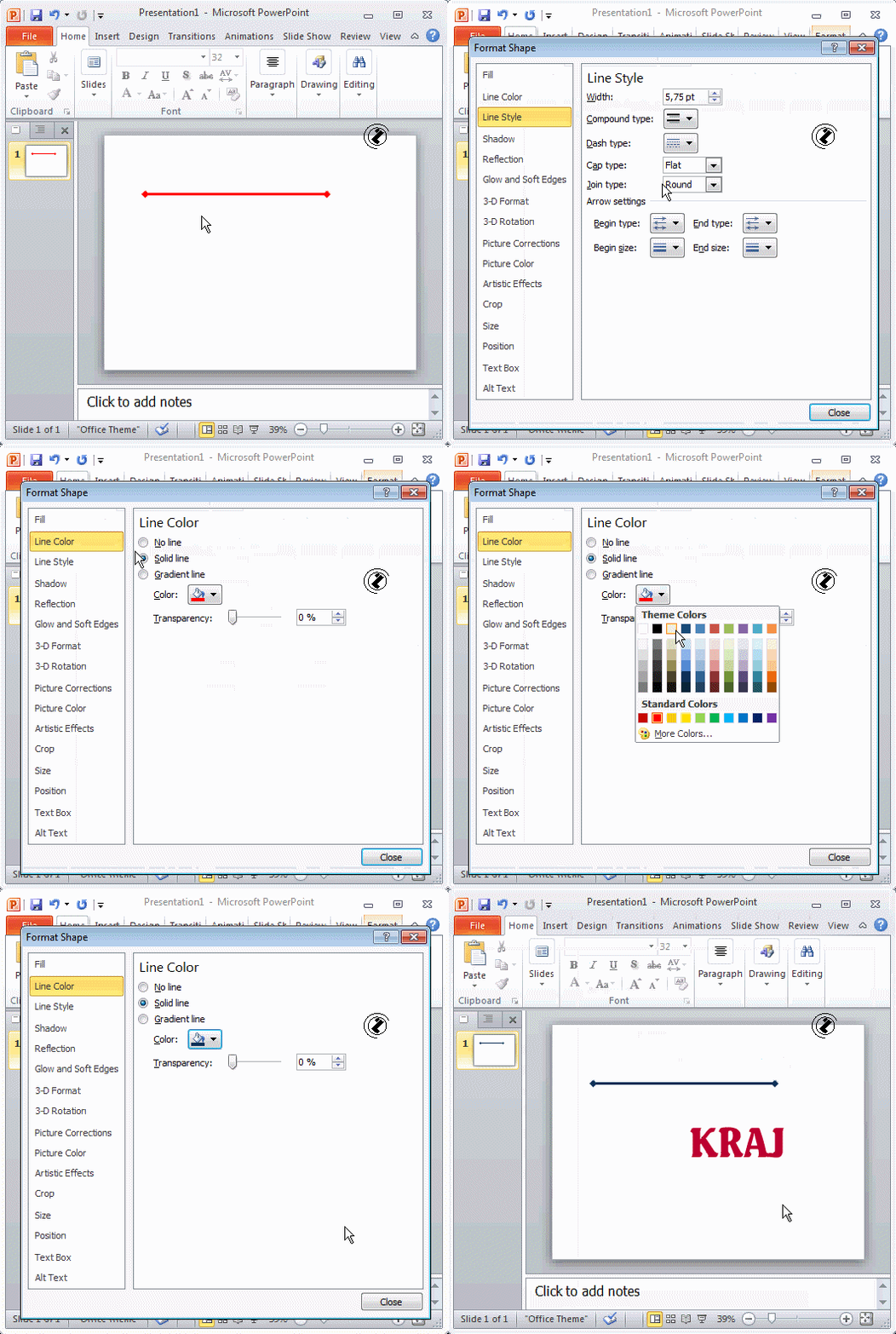
Line Color can be changed in a Format Shape dialog box.

SHAPE - Line Color, steps:

  1. Select the desired line.
  2. Right click.
  3. Choose the Format Shape option.
  4. Format Shape dialog box will open.
  5. Choose the Line Color link.
  6. Color drop down list will open.
  7. Choose sample.
  8. Hit the Close button.
  9. The End (Kraj).

Index