WORD 2010 - FONT
FONT CHANGE CASE
It is possible to change size of the letters -FONT CHANGE CASE from RIBBON by clicking on the button . Possible options for selection are displayed on the image below and the table contains description.
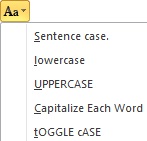
Image 1. FONT CHANGE CASE options
Table: Size of the letters
SENTENCE CASE |
First letter of the sentence is upper. |
lowercase |
All letters are lowercase . |
UPPERCASE |
All letters are uppercase. |
Title Case |
First letter of each word is uppercase. |
tOGGLE cASE |
Changing letters from uppercase to lowercase and vice versa. |
SHORTCUT KEYS are Shift+F3.
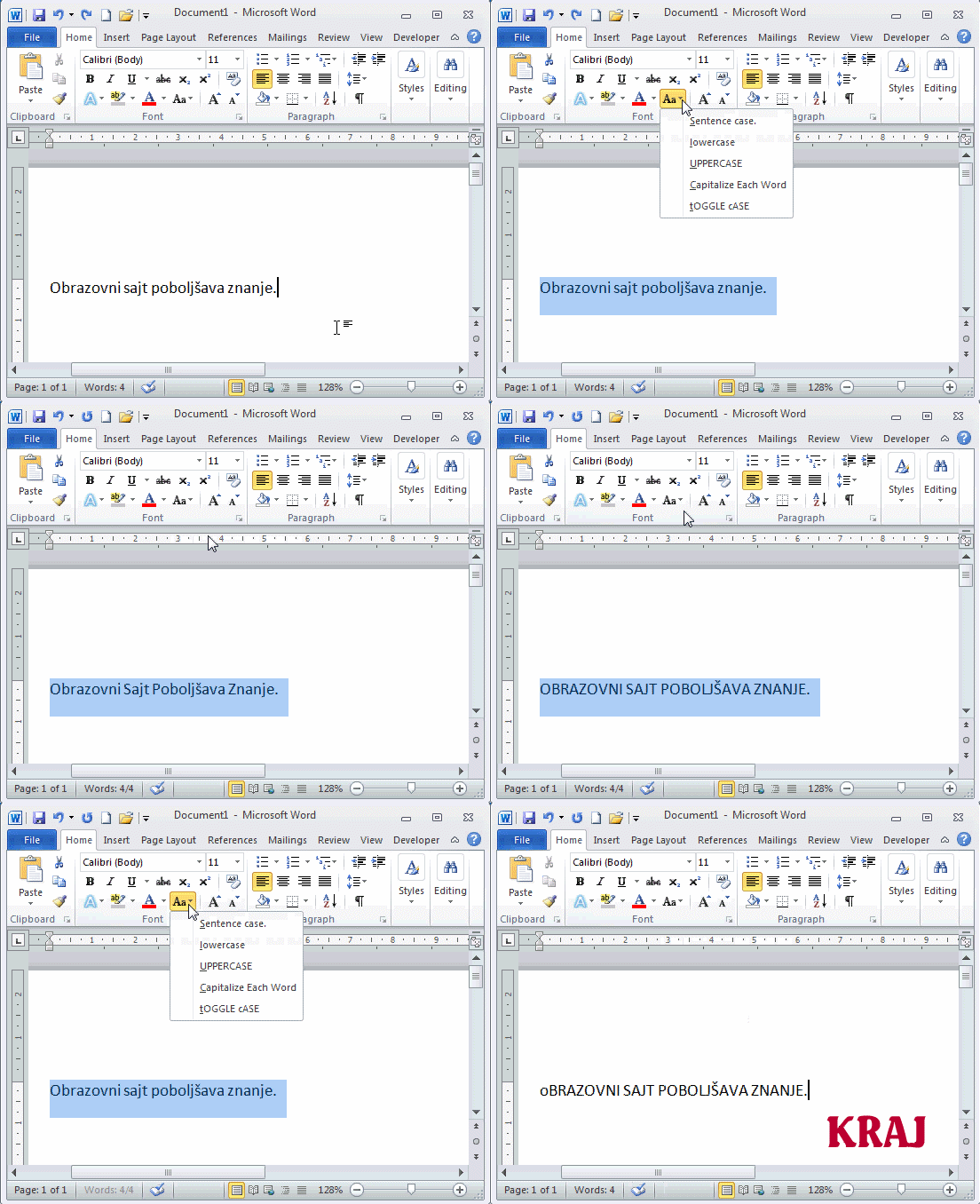 |
FONT CHANGE CASE, steps:
|